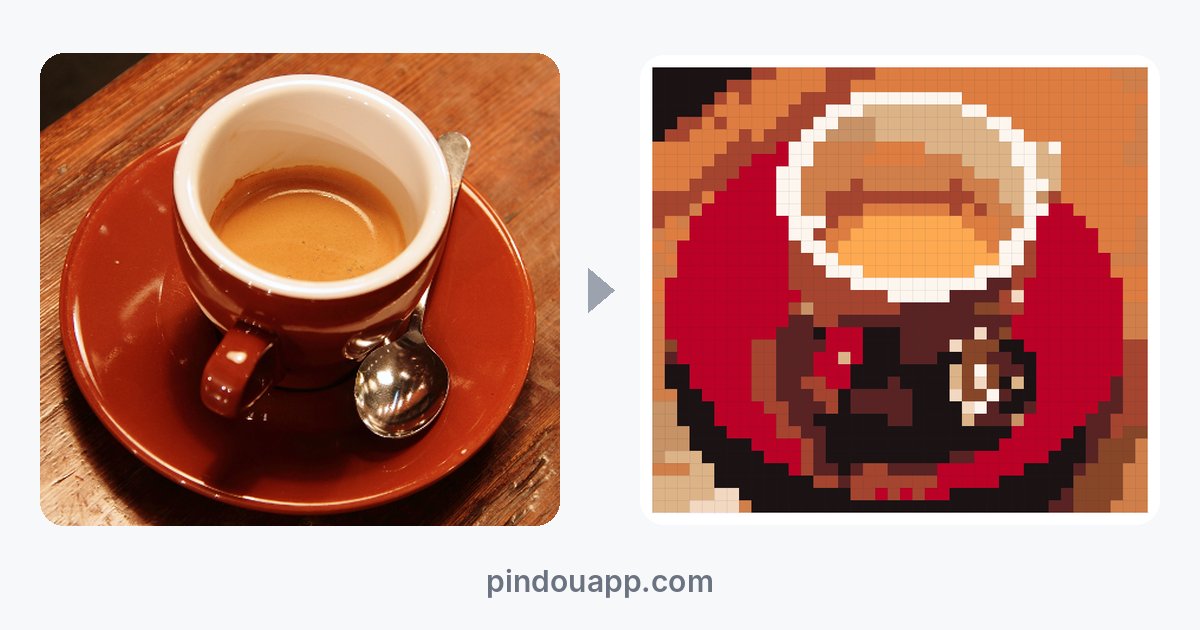
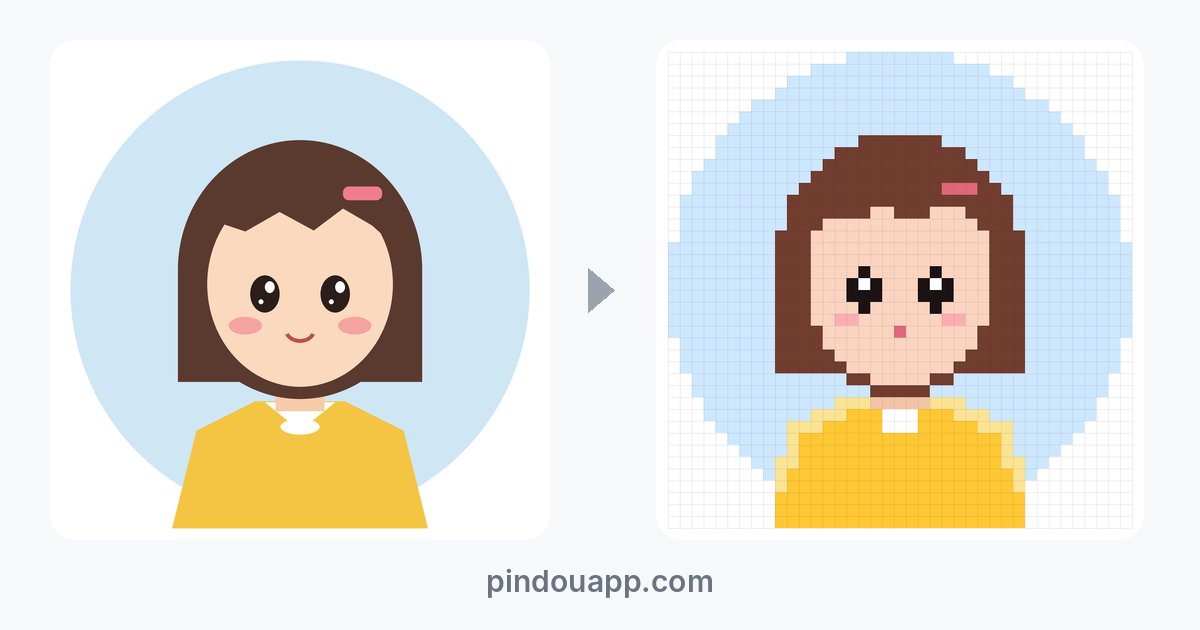
Turning pet photos, avatars and drawings into bead patterns: three tests
These three kinds of pictures are not equally easy. Flat images like drawings and avatars are the easiest; pet photos are the hardest. We tested one of each in Pindou Studio: the cat photo loses its features below 40 beads, so crop to the face and use about 48; the flat avatar keeps the highlights in its eyes at 40; the hand-drawn bear has an unbroken outline at 56 and starts breaking at 48.
On this page: Pet photosAvatarsDrawings
Pet photos: crop to the face, about 48 beads
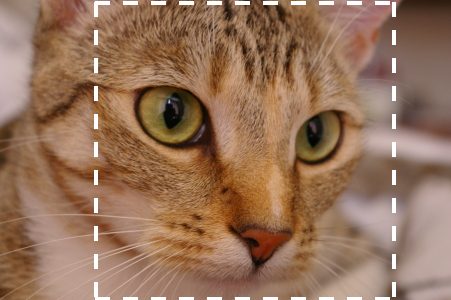
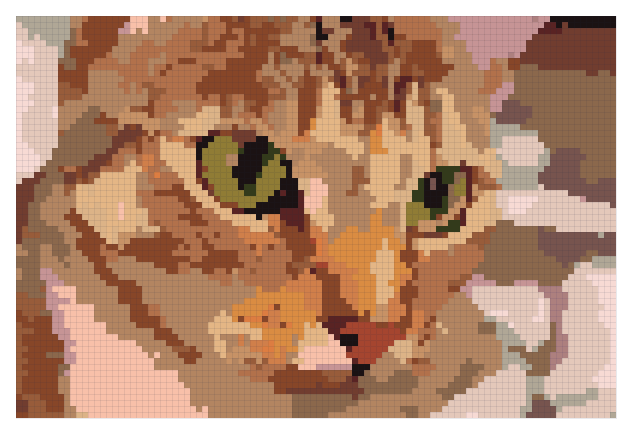
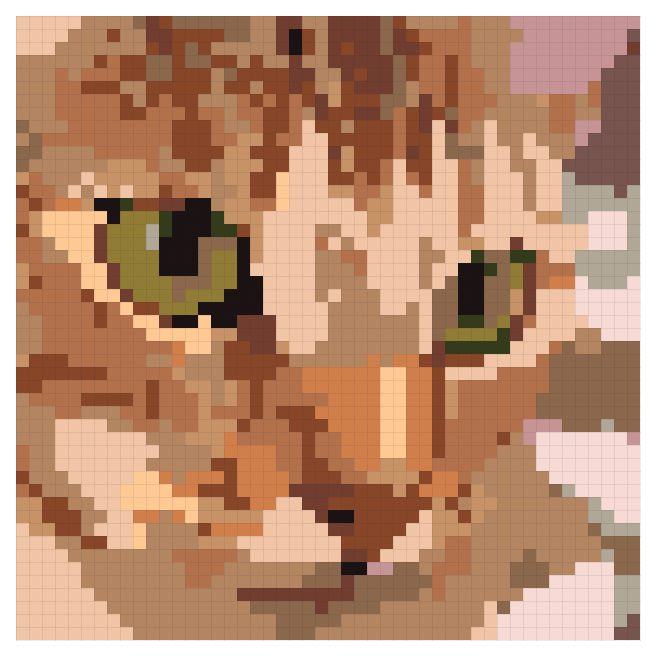
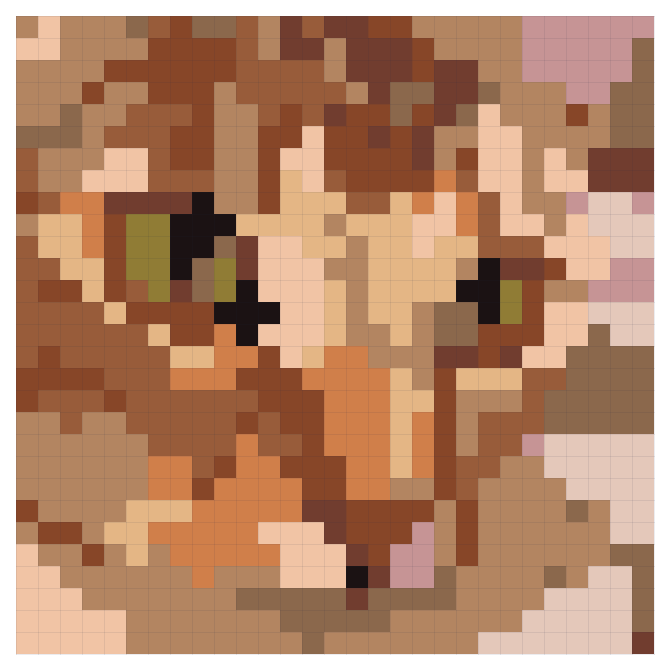
Pet photos are hard for two reasons: fur color changes smoothly while beads come in a few dozen fixed colors, and the parts that make a pet recognizable — eyes and nose — are tiny. At 48 beads this tabby’s eyes and nose are clear; at 29 the eyes are a few dark beads and the stripes break into patches.
- Crop to the face or head and shoulders so the face fills the frame.
- Use 48–56 beads with about 16 colors. Any smaller and the features go first.
- Pick a front-facing photo with light in the eyes. Solid-colored pets are easier than tabbies or calicos.
- Check the eyes after converting: at least 2×2 dark beads plus one white highlight bead brings them to life.
- Want a cleaner cartoon look? Members can use “AI redraw” with “Sticker” or “Chibi” to repaint the photo in flat color first.
Avatars: flat images are easiest, and the eyes decide the size
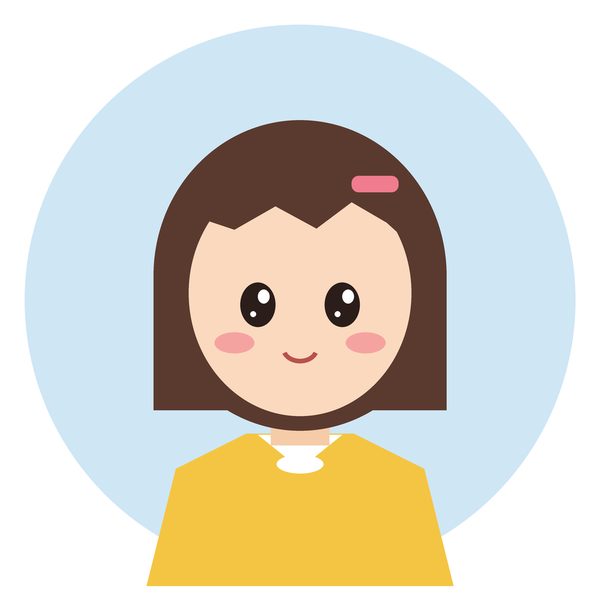
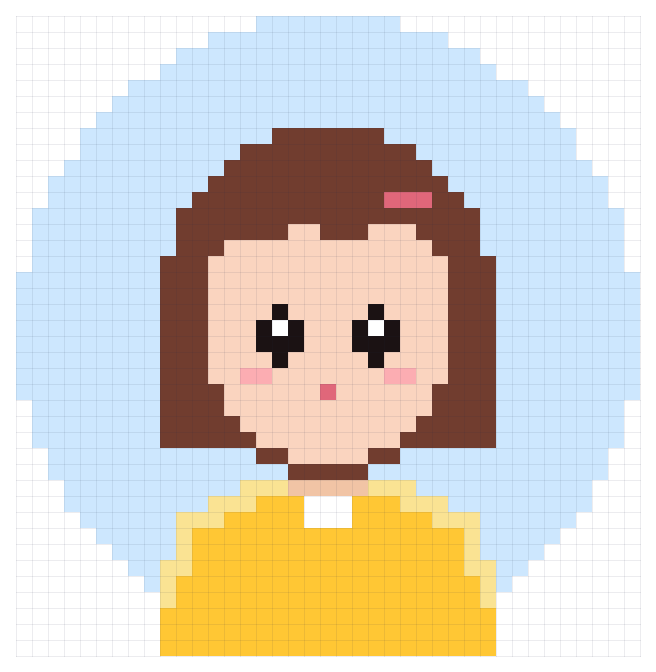
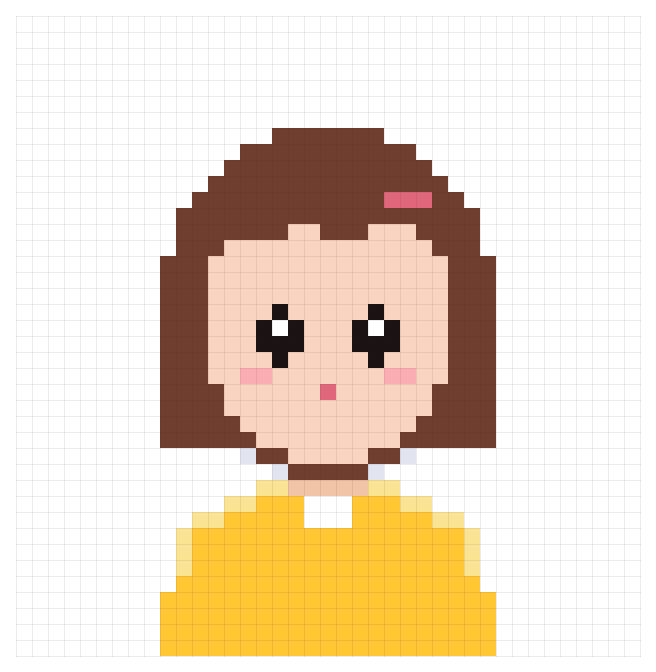
Flat images use few colors to begin with, so they need almost no fixing: this avatar at 40 beads uses 10 colors, scores 91 in the built-in quality check and has no stray beads.
The background circle changes the bead count a lot: 1,560 beads with it, 589 without — almost 1,000 beads apart. To keep a background, switch off “Remove background” under Processing in the left panel.
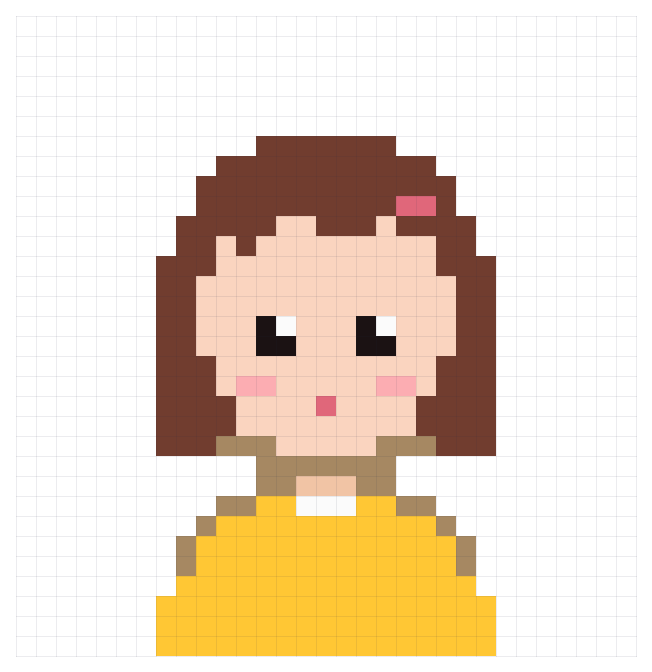
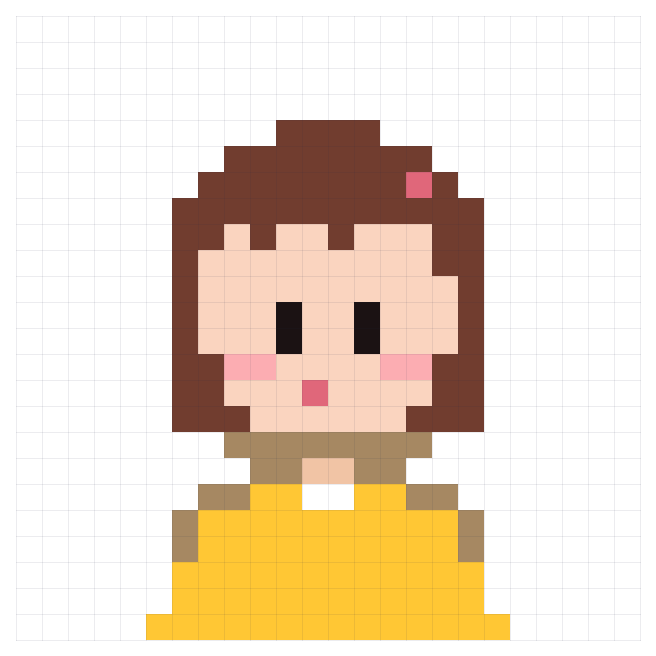
The eyes are the first thing a grid eats. This avatar keeps its eye highlights at 40 beads; between 29 and 36 is the awkward zone where only a sliver of each eye survives and it looks like squinting; at 24 the eyes become two clean vertical bars. So: 40 beads or more if you want sparkle in the eyes; 20–24 for keychains and badges; anything in between, redraw the eyes as two vertical bars with the brush.
Drawings: bold outlines, enough beads
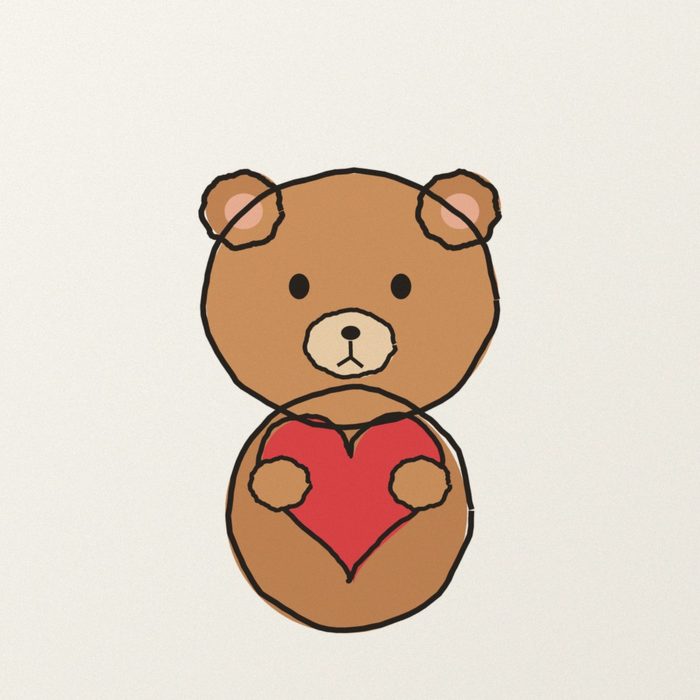
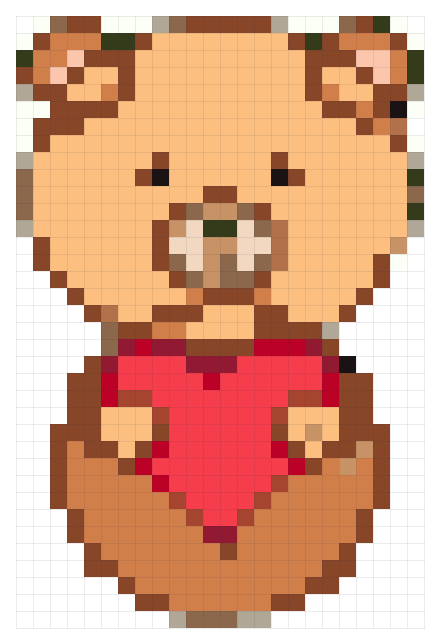
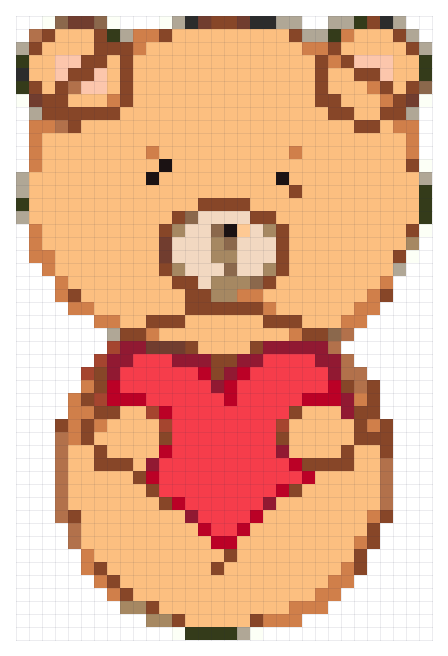
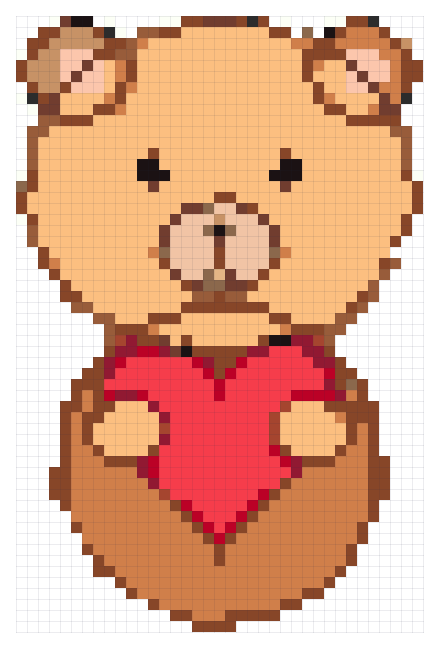
The paper color and its shadows are removed automatically — upload the bear on cream paper and you get just the bear. What decides the size is the outline: it needs to be at least one bead wide in the pattern to close into a full loop. The strokes in this drawing are under 1% of the picture’s width, so the outline only closes at 56 beads; at 48 it breaks; at 36 the outline and paper blend into colors the drawing doesn’t have, like dark green.
Even 56 beads is not perfect on the first try: there are 22 dark-green beads (B23) and 32 gray ones (M7 — most likely the paper’s shadow) along the edges. Click the dark green in the color list and use “Replace with” to turn it into the outline brown; click the gray, “Select all” and delete. Two steps, under a minute.
- Outline with a thicker pen and fill colors fully and evenly.
- Photograph straight on in even light, or scan it; fewer shadows mean fewer stray colors.
- Start at 48 beads and go up if the outline breaks.
- Patterns made from your own drawings are yours to keep or to sell as finished pieces.
Try it with your own picture
Upload a photo, avatar or drawing and get a pattern in seconds. Creating, previewing and editing are free.
Upload a picture and make a patternBrowse ready-made patternsFAQ
What size should a pet photo bead pattern be?
Crop the photo to the face, then use 48–56 beads and about 16 colors. Below 40 the eyes and nose usually become unrecognizable.
What size for an avatar keychain?
20–24 beads. At that size the eyes become two vertical bars, clean and easy to make; keeping the highlights in the eyes needs 40 or more.
My line drawing comes out with broken lines. What do I do?
Increase the size until the outline closes, or go over the lines with a thicker pen and photograph it again. Even light and a straight-on angle also cut down stray colors.
Can I sell pieces made from my own pet photos or drawings?
Yes. Patterns you make from your own pictures (or pictures you have the right to use) are yours, including to sell.
Sample images: the cat photo is from the scikit-image sample collection, photographed by Stefan van der Walt, released under CC0 (public domain); the avatar and the bear were drawn by Pindou Studio.