How to choose a bead pattern maker: six checks you can test with one picture
Nearly every bead pattern maker can “upload a photo, make a grid, count the beads”. The real difference is whether you can build straight from the pattern it gives you. The quickest way to choose: take one portrait with eyes, run it through a few tools, and compare against the six checks below. For each one we say how to test it and how Pindou Studio handles it — including what it doesn’t do.
Three kinds of tools
| Kind | Typical traits | Best for |
|---|---|---|
| Phone apps | Easy editing on the phone; most are subscriptions. | People who make patterns often, on the go |
| Mini-programs inside chat apps | Popular in China: open and use, from plain pixelation to pattern galleries and bead inventory. | An occasional pattern |
| Web tools | See the whole pattern on a big screen, edit and print easily. Many free ones process the picture in your browser and mainly pixelate and map to color codes. | Fine-tuning and printing |
There are also “bead style” filters on AI photo-editing sites. Before using one, check whether it gives you a pattern with color codes you can count, or just a pixel-style picture. The second looks nice but cannot be built.
Six checks
1. Are the color codes real?
How to test: zoom in and check that each cell is labeled with a code a bead brand actually sells, and that you get a bead count per color.
Pindou Studio: MARD 221 by default, plus MARD 113, MARD 48 and several other popular brands. The PNG export labels every cell and includes row and column numbers and bead counts; a separate shopping list is available too. On-screen colors come from community measurements and can differ slightly from real beads.
2. Does it clean up stray beads?
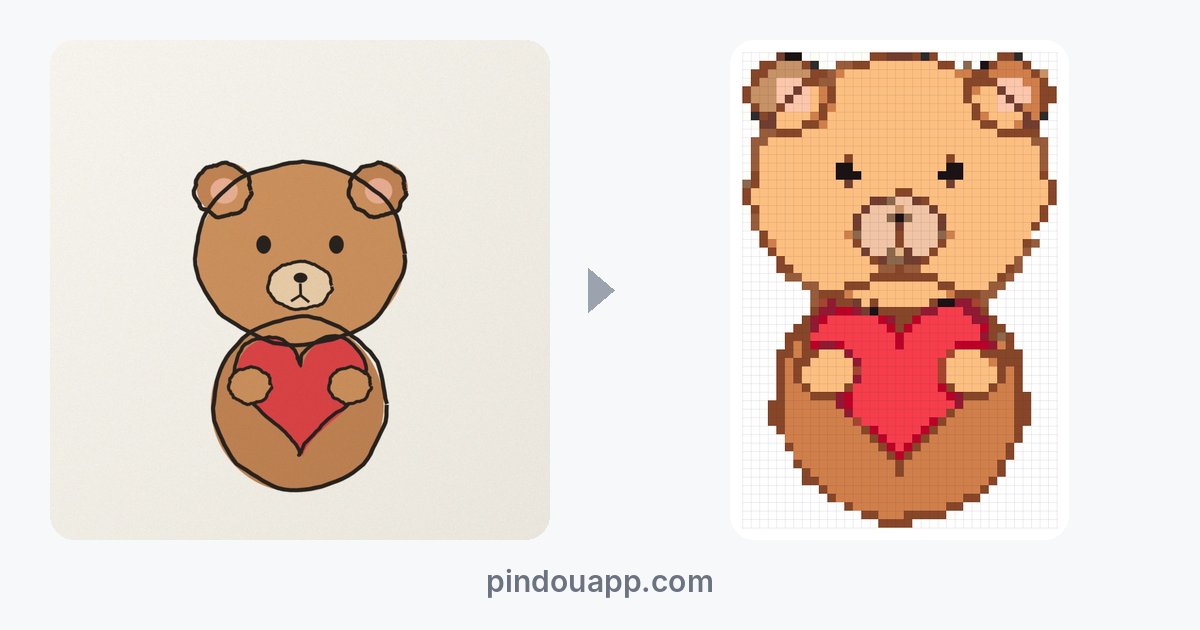
How to test: make a pattern from a photo and zoom in for lonely single beads of a random color. Photos are the worst for this, and every stray bead has to be found and swapped by hand.
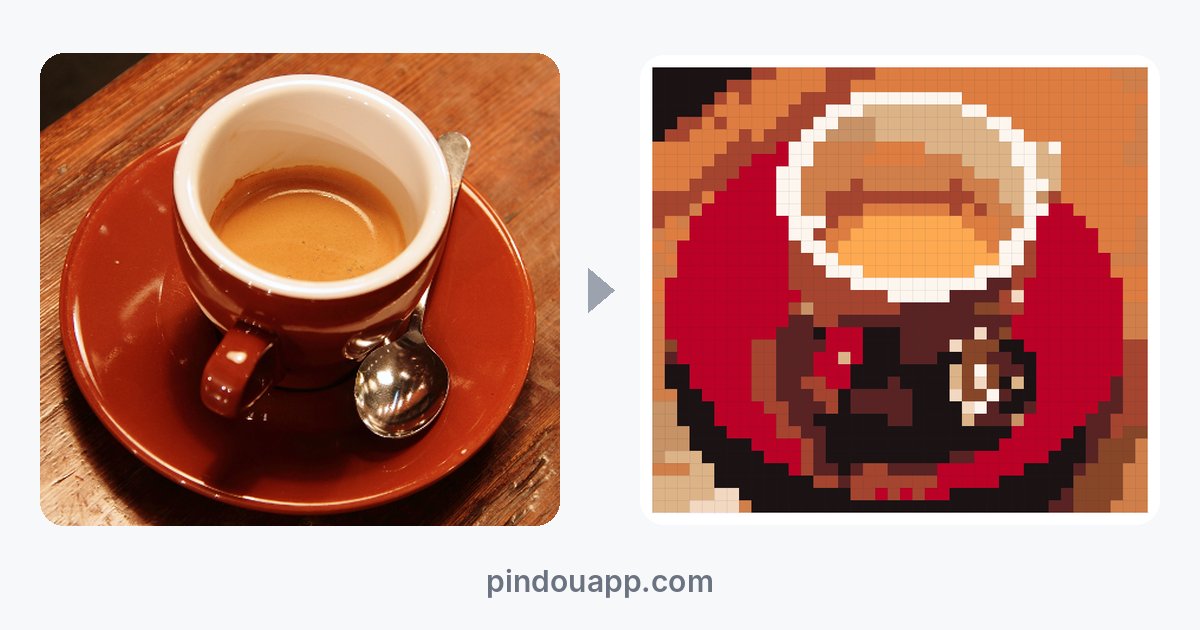
Pindou Studio: cleans up while converting. Whatever is left — stray specks, beads touching only at a corner, one-bead-wide bridges that break — is circled by the “Quality check” panel, and “Tidy up” fixes it. In our tests it changed 4 beads on a coffee-cup photo (40 beads) and 14 on a cat photo (48 beads).
3. Does it keep small details like eyes?
How to test: make the same portrait at about 40 and about 30 beads and check whether the eyes survive. Here is one portrait made in Pindou Studio:
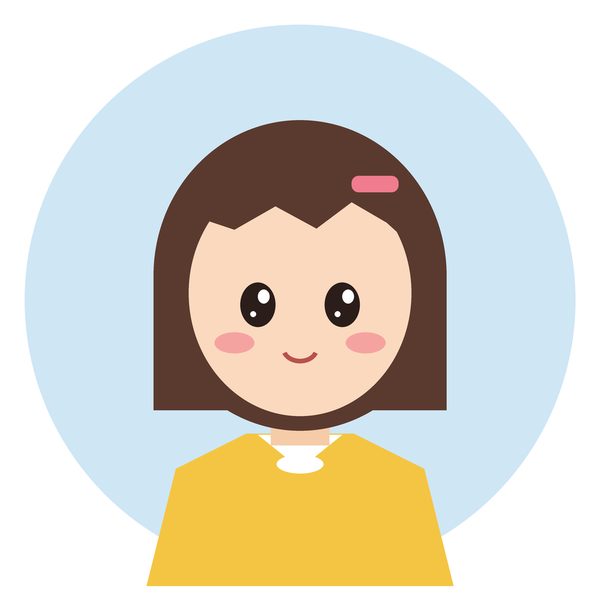
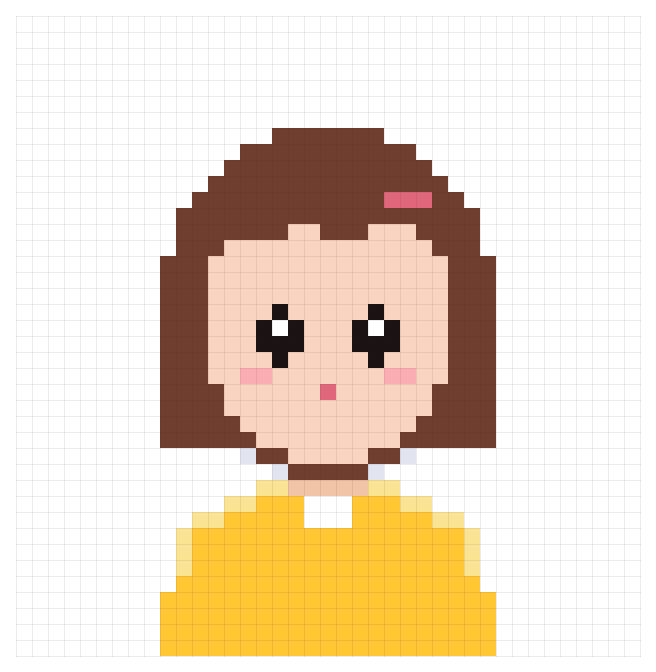
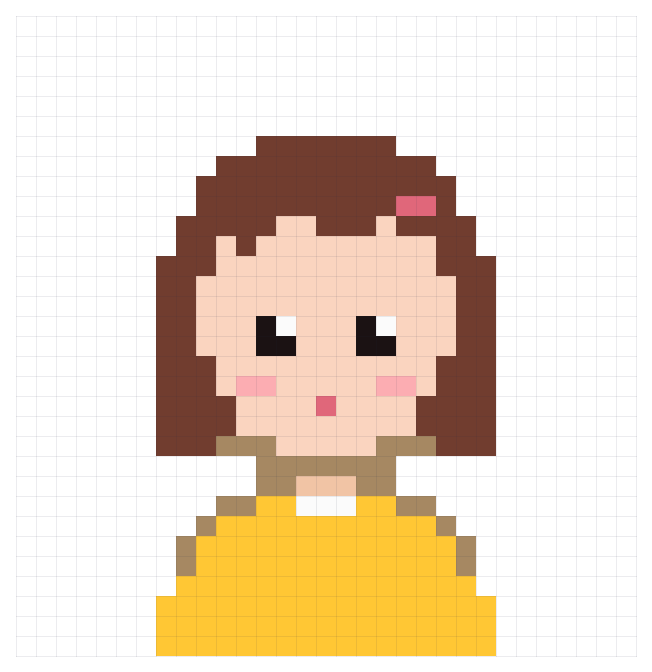
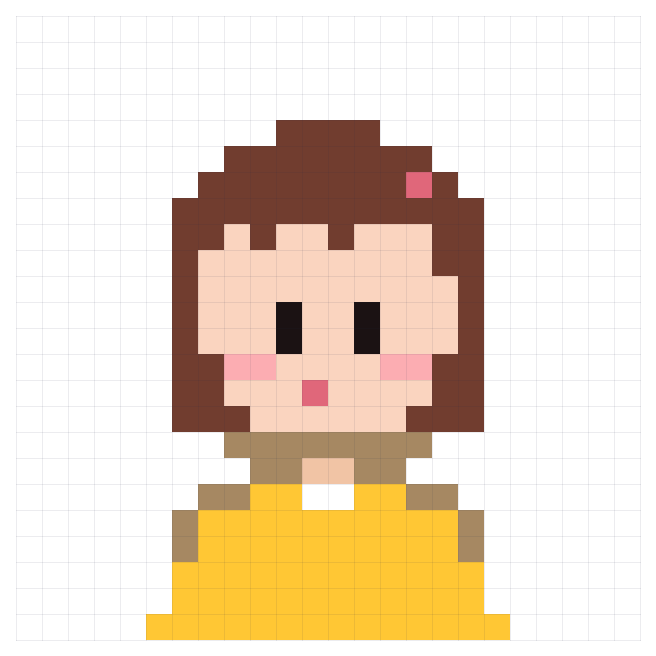
This is a limit of the grid, not of any one tool: the eyes are a tiny part of the picture, and a coarse grid cannot hold a highlight. A good tool at least never deletes the eyes as “noise”. Pindou Studio detects eyes, mouths and other key small features and protects them; the remaining choices are yours to edit — at 32 beads, for example, redraw each eye as a two-bead vertical bar with the brush.
4. Can you edit by hand?
How to test: try changing one bead, filling an area, replacing one color everywhere, and undoing.
Pindou Studio: brush, erase, bucket, eyedropper, marquee, quick select, mirror, layers and text on the pattern, all with undo; any color can be highlighted, selected everywhere or replaced. It runs in desktop and mobile browsers with nothing to install.
5. Can you build straight from the export?
How to test: export one and zoom in: are there row and column numbers and a color list, and can you read the codes?
Pindou Studio: the PNG chart includes row and column numbers, the size, the number of colors, the total bead count and the count per color. You can raise the pixels per cell for a sharper chart, and the Pindou Studio logo sits at the bottom. Work can also be saved as a project file to keep editing later.
6. How is it priced?
How to test: check whether it is a subscription that renews automatically or a one-time payment, and whether — and how many — free exports you get.
Pindou Studio: Creating, previewing and editing are free and unlimited. Exporting needs an account: each account can export 9 patterns for free, and membership removes the limit — $4.99 a month, $29.99 a year, or $59.99 once for lifetime access.
Checklist you can use on any tool
| Check | How to test | What good looks like |
|---|---|---|
| Color codes | Zoom in on the cell labels | Real brand codes plus a count per color |
| Stray beads | Convert a photo and look for single specks | Few, or fixable in one click |
| Small details | Make a portrait at 40 and at 30 | Eyes never deleted; highlights kept at 40 |
| Editing | Change a bead, fill an area, swap a color, undo | All possible, with undo |
| Export | Export one and zoom in | Row/column numbers, color list, readable codes |
| Pricing | Read the checkout page and free limits | Says clearly whether it renews |
When you don’t need a pattern maker
- You just want a ready-made design: browse the bead pattern library; free patterns download directly.
- Your picture is already pixel art: Pindou Studio keeps its original grid, one pixel per bead, with no size to tune.
Try it with your own picture
Upload a photo, avatar or drawing and get a pattern in seconds. Creating, previewing and editing are free.
Upload a picture and make a patternBrowse ready-made patternsFAQ
Are free bead pattern makers good enough?
For simple cartoons and pixel art, most free tools are fine. For photos, pets and portraits, the difference shows in stray-bead cleanup and whether details like eyes survive — compare with the same picture before you decide.
Phone app or web tool?
Phones are handy for quick edits; a browser on a big screen is better for seeing the whole pattern and printing. Pindou Studio is a web app that works in both desktop and mobile browsers, with nothing to install.
Is Pindou Studio free?
Creating, previewing and editing are free and unlimited. Exporting needs an account: each account can export 9 patterns for free, and membership removes the limit — $4.99 a month, $29.99 a year, or $59.99 once for lifetime access.
Can I sell pieces made from my patterns?
Patterns you make from your own pictures (or pictures you have the right to use) are yours, including to sell. Gallery patterns can be used commercially, for example to sell finished pieces, once you are a member.
Sample image: the avatar was drawn by Pindou Studio; every pattern shown was generated by Pindou Studio’s converter.